Sample script:
Hi. If you can read this while looking near the top of your screen, you already know how PrompterMint works. Your script scrolls right under the camera, so your eyes stay on the lens while you talk. It moves at the speed you speak, in words per minute. Tap the text to pause, and tap again to carry on. No more glancing down at your notes, no more losing your place, no more starting over. Write it once, press record and say it in one take. Now try your own words, and read them out loud.
Read your script while looking at the camera.
PrompterMint is a teleprompter for iPhone. Your script scrolls right under the front camera while you record, so you can say it in one take without looking down. Coming soon to the App Store.
Why you look away when you read
Read your notes from the middle of the screen and your eyes sit a few centimetres below the camera. On video, that looks like you’re reading, or looking past the viewer.
PrompterMint keeps the line you’re reading in a small box right under the front camera, so your eyes stay on the lens the whole time.
PrompterMint. You read right under the lens, so on video you’re looking at the viewer.
Notes mid-screen. Your eyes drop below the lens, and viewers notice.
What it looks like
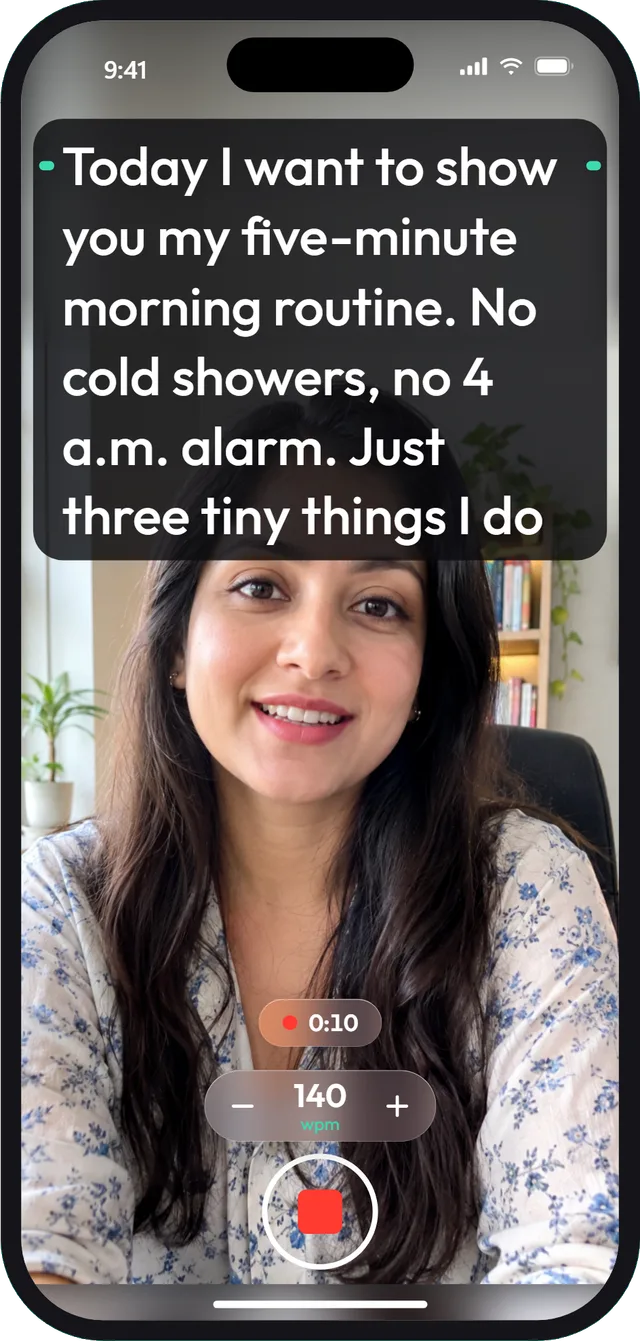
Record with your script right under the camera. 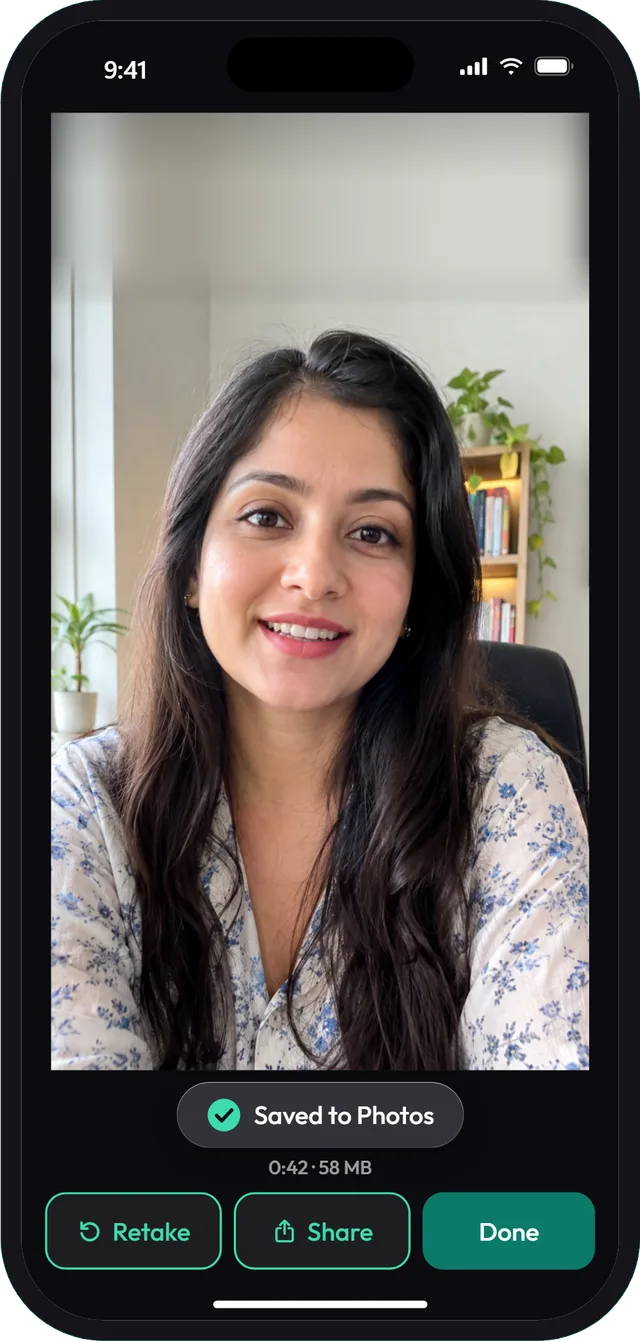
Each take saves to Photos. Retake or share it. 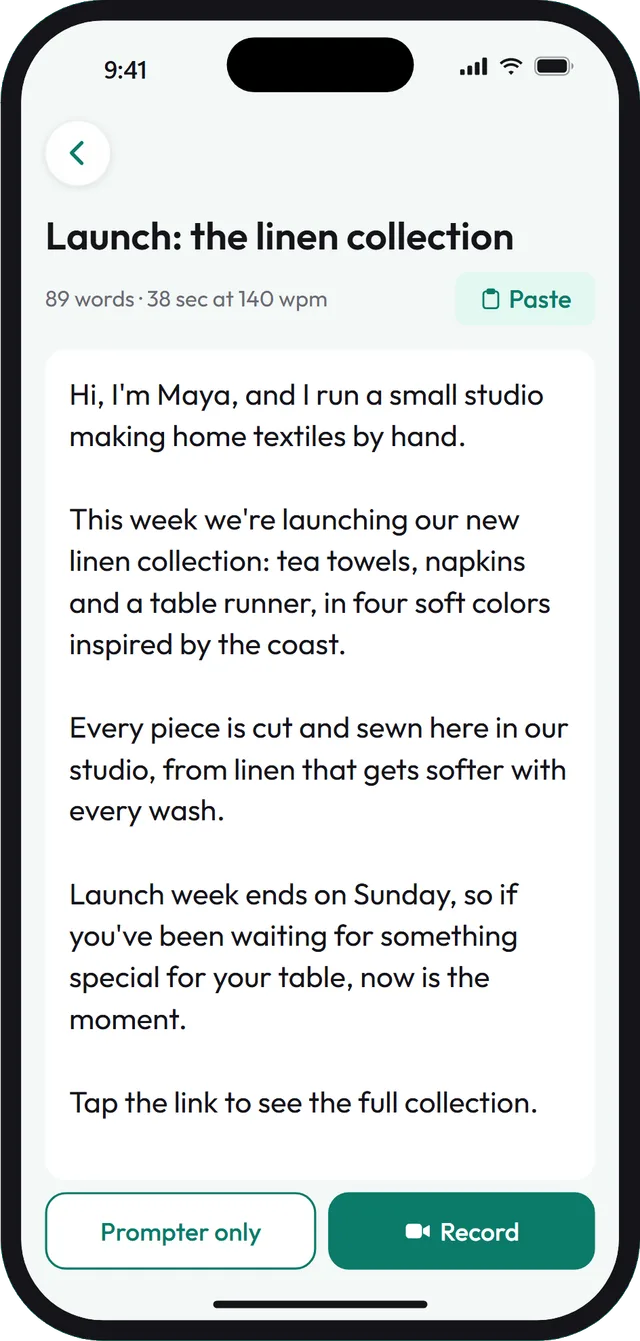
Write or paste your script and see how long it takes.
It keeps pace with you
Set the speed in words per minute, from 40 to 250. It starts at 140, close to how fast most people talk. Tap − or + while you speak and the text speeds up or slows down without jumping.
The speed follows words, not lines, so a sentence full of long words doesn’t rush you. Lose your thread? Tap the text to pause. The recording keeps going.
Words per minute. The shaded part, 120 to 160, is everyday talking speed. The bar marks 140, where PrompterMint starts.
What you can do with it
- Record in the app
- Front camera, up to 1080p, with sound. A 3- or 5-second countdown, then recording and scrolling start together.
- Every take lands in Photos
- Watch it back, share it, or tap Retake to start again from the top of your script.
- Text the way you read
- Change the text size and width, and keep the script right under the camera or in the middle.
- Write or paste
- Type your script in the app or paste it from anywhere. It saves as you type and shows how long it takes to read.
Your scripts stay on your iPhone
- No account. Open the app and start writing.
- We never receive your scripts or your videos.
- No ads, no analytics, no tracking.
- Works offline. You only need internet to buy or restore Pro.
What’s free, and what Pro adds
Free to try, with an optional Pro upgrade. The App Store shows the price in your currency.
Free
- One script of your own, plus the sample
- Recordings up to 60 seconds, saved to Photos
- Speed, text size, position and countdown
Pro
- Unlimited scripts
- Record for as long as you like
- Prompter only mode, without the camera
- Mirror text for teleprompter glass